
Your best photos deserve less company.
AI assistance, small rounds, and your Apple Photos library—working together.
Too Many Photos™ combines personalized AI recommendations with manageable rounds and seamless integration with Apple Photos. The AI does a thoughtful first pass; you bring the knowledge of your memories. Teach the AI more about what’s important if you like. Your existing Apple Photos library stays at the center.
Your library, already at home.
Choose an Apple Photos date range, album, or folder in Prepare. Review recommendations inside Too Many Photos. Your keepers remain in Apple Photos, ready to enjoy in the library you already use.
Requires macOS 27, iOS 27, or iPadOS 27 or later on a compatible device.
AI guided by what matters to you.
Describe your preferences in plain English: treasured family moments, wildlife, special occasions, or fewer repeated views. The AI considers your guidance and compares related photos when suggesting Keep or Delete.
A blurry but meaningful memory can still be a keeper. You make the final choice.
A first pass you can understand.
Optional AI captions and ratings add context. Comments can explain a recommendation, point to a better similar frame by filename, and describe how your guidance mattered. Read them in Info, and edit the wording when needed.
AI can make mistakes. Its explanation is there to help your review.
Clear choices. Your approval.
In Review, green Keep checkmarks and red Delete X marks show the proposed decisions. Change anything you disagree with. Favorite hearts and quality stars are separate from Keep/Delete.
When you choose Delete marked photos, Apple asks you to confirm. Approved deletions affect your Apple Photos library; Apple manages Recently Deleted and recovery.
Progress that fits your day.
Rounds normally target around 50 photos, with settings that help related photos stay together. Review a manageable group, adjust your guidance, and continue when you are ready.
Small rounds make the AI’s first pass practical to review. The combination is what makes cleanup easier.
Your whole selection. Wherever you want to be.
Choose the photos you want to work through, then move between your iPhone, iPad, and Mac as your day changes. Your entire selection—and your saved progress through its rounds—can come with you. Start on your phone, continue on the sofa with your iPad, or take a closer look on your Mac. Switch in any direction, even in the middle of a round.
One license covers every Apple device registered to you running macOS, iOS, or iPadOS 27 or later.
Use the same Too Many Photos sign-in and iCloud Photos library on each device. Let saves finish, then choose Continue Here on the device you want to use. Work on one device at a time, and allow Apple Photos to finish syncing if pictures are still arriving.
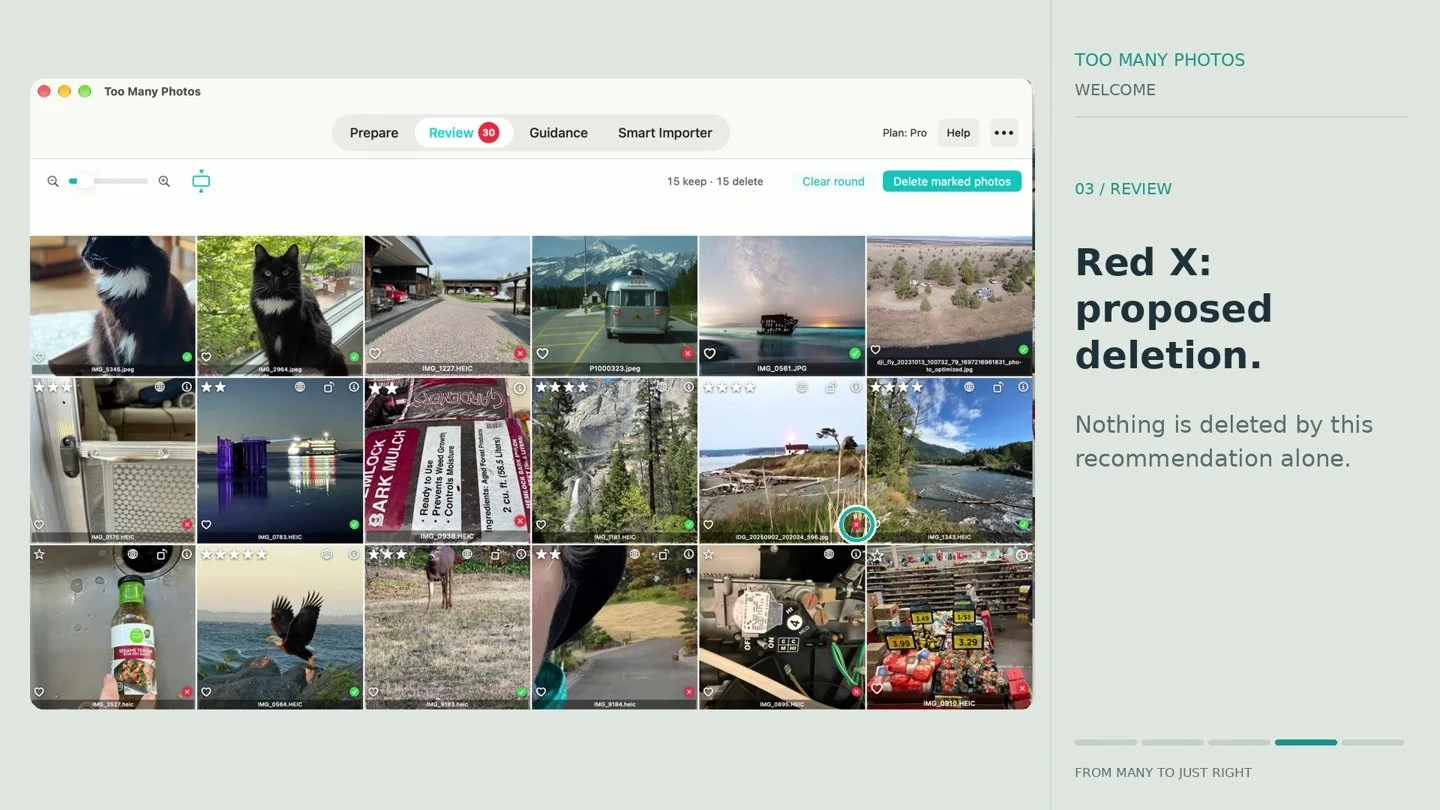
Make your choices in the app with green Keep checkmarks and red Delete X marks.Actual app screenshot · Open image to enlarge
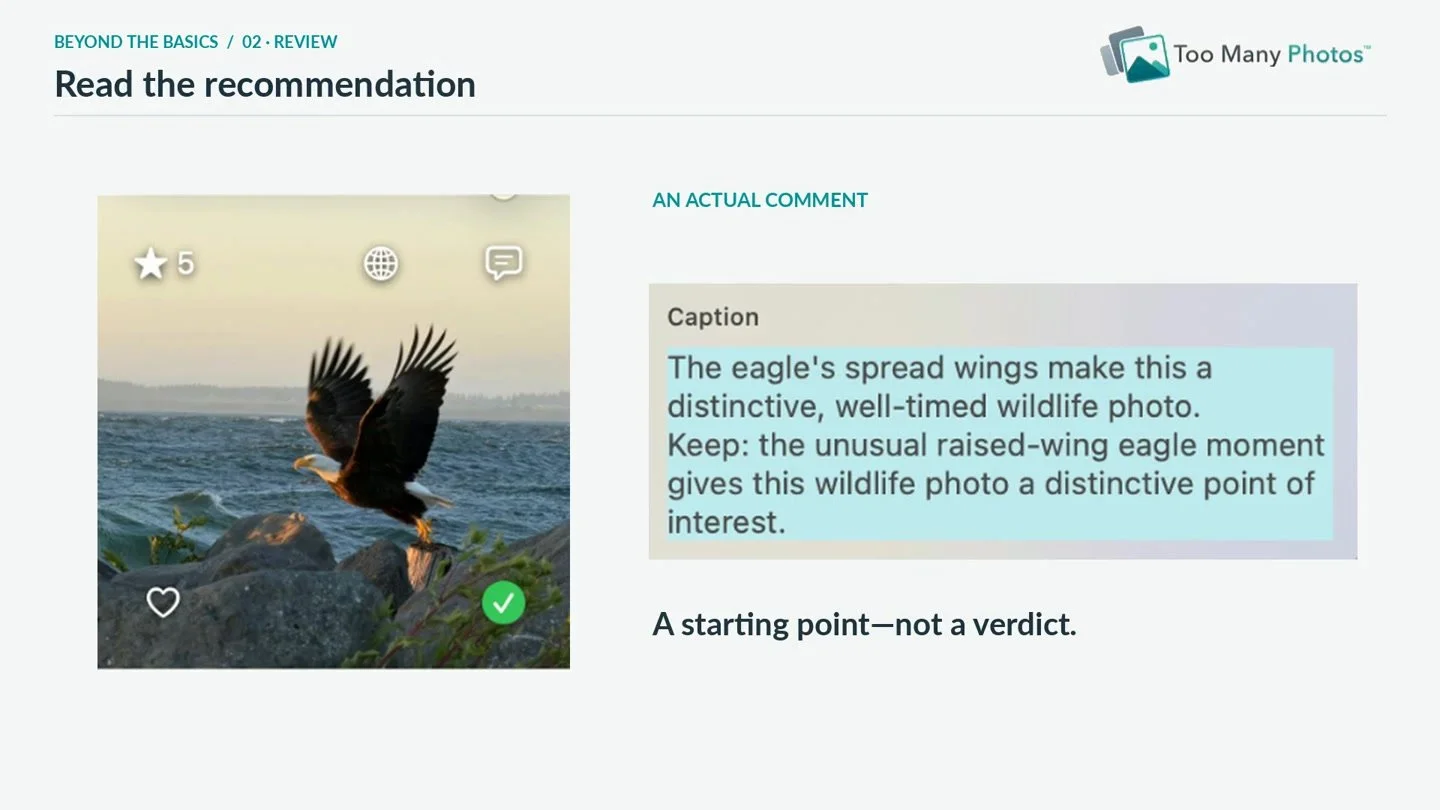
Use AI assistance to help describe your photos, then review and refine the wording.Actual app screenshot · Open image to enlarge
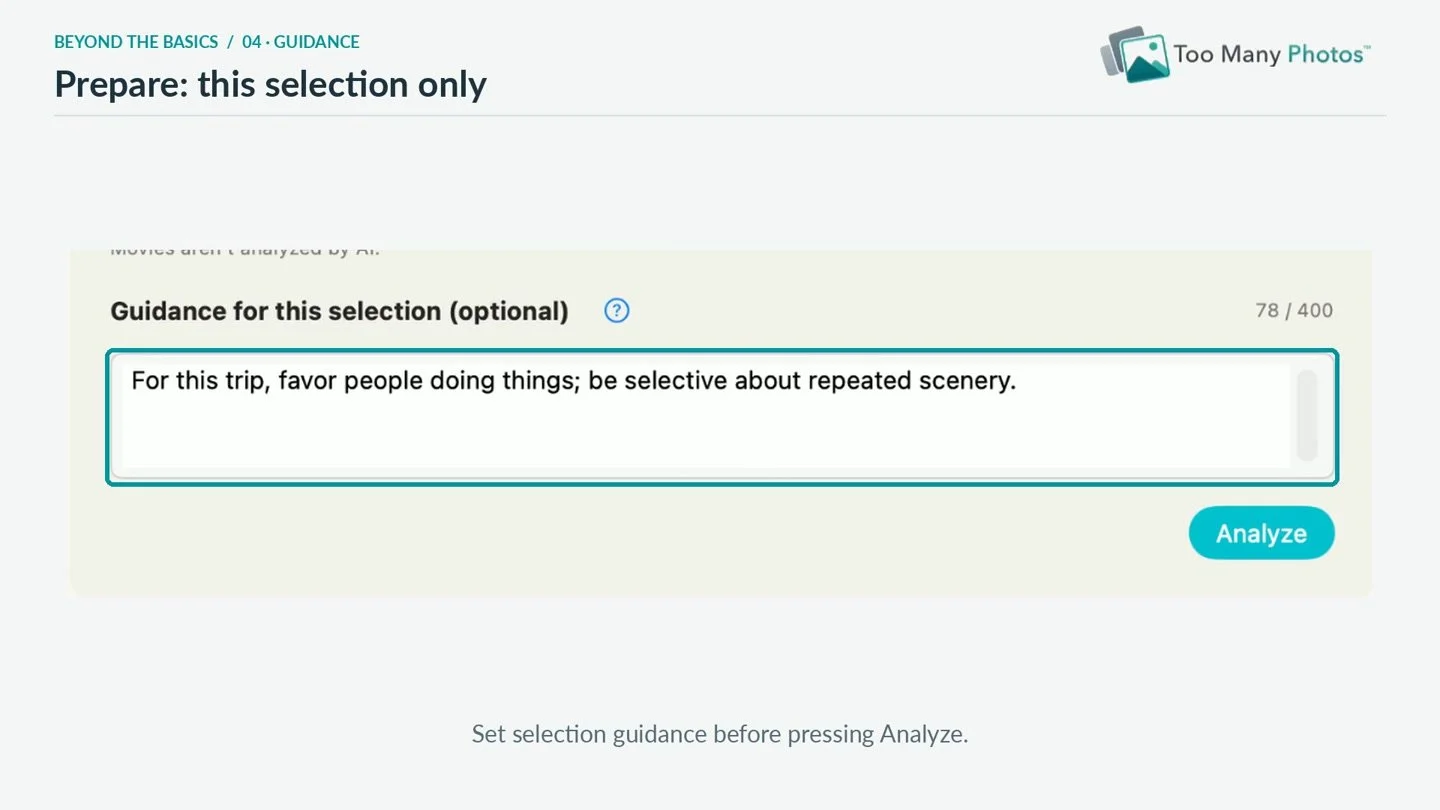
Use Guidance as you work through your selection. You stay in control of what you keep.Actual app screenshot · Open image to enlarge
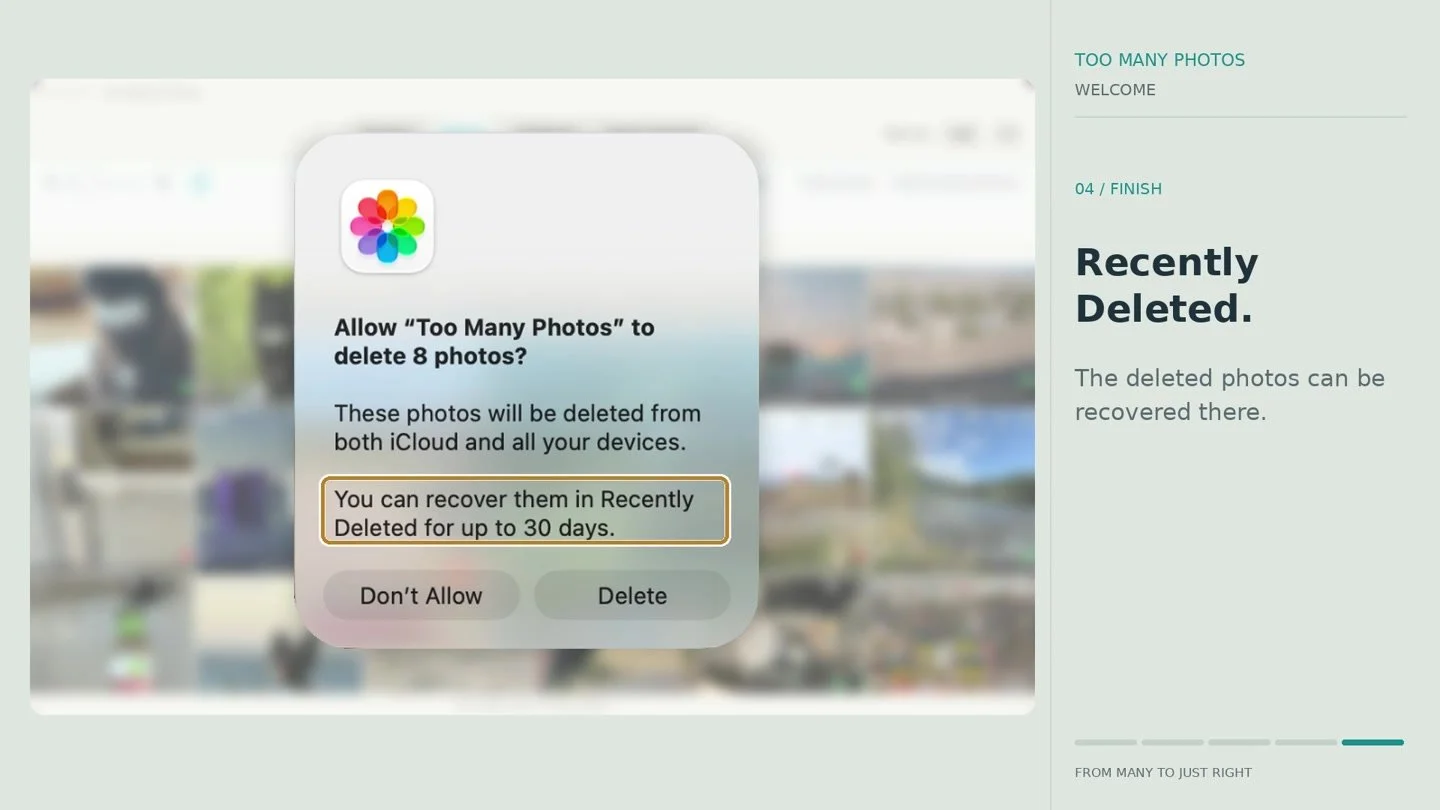
Review your choices before Apple asks you to approve deletion from your Photos library.Actual app screenshot · Open image to enlarge
See Too Many Photos in action
Start with the short overview, then go deeper with Beyond the Basics.
1. Start here: the overview
1 min 26 sec
Watch this short overview first to see AI assistance, manageable rounds, and Apple Photos working together.
2. Then watch Beyond the Basics
5 min 25 sec
After the overview, explore Guidance, recommendations, captions, and a more personal review.
Find your keepers, one round at a time.
Start with a familiar album and see how AI assistance, your guidance, and Apple Photos work together.